
Your search history is empty



eFootball (PES) Top Up
5.0
1.2k
59.5k Sold
Fast
Safe
24/7
- 14
- 25
- 12
Invite Friends and Get 3*10% OFF Discount
Only Supports iOS via KONAMI Login. Pay attention to your monthly data transfer attempts. Android users please check
How to Redeem by Self-TopUp
- 10 Draws of Player$6.60-$1.47$8.07
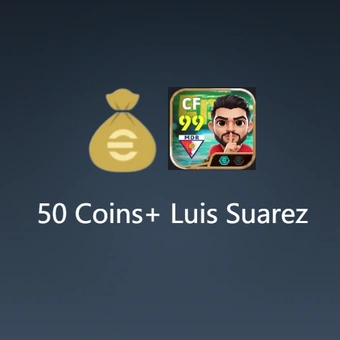
- 50 Coins+Starter Set: Luis Suarez$0.81-$0.18$0.99
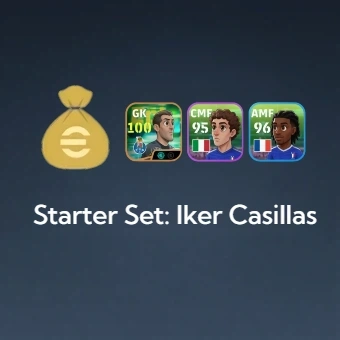
- Starter Set: Iker Casillas$2.03-$0.46$2.49
- 130 Coins$0.98-$0.21$1.19
- 300 Coins$2.20-$0.49$2.69
- 550 Coins$3.92-$0.87$4.79
- 750 Coins$5.32-$1.17$6.49
- 1040 Coins$7.20-$1.59$8.79
- 2130 Coins$14.73-$3.26$17.99
- 3250 Coins$22.10-$4.89$26.99
- 5700 Coins$36.02-$7.97$43.99
- 12800 Coins$76.96-$17.03$93.99

Can’t find the pack you’re looking for?
Top-up instructions
Buy eFootball Coins to create your Dream Team with legendary players, top stars, and terrific enhancements for your squad in eFootball. From competitive online games and seasonal activities to player advancement and limited-time promotions, each Coin you earn can help you build a stronger team and maintain superiority over your competitors. Get your Coins from the LootBar eFootball Coins Shop at their best rates and enjoy the easy and safe process of topping up.
Lucky for you, using the LootBar Self-TopUp feature, you can log in personally and complete the process of acquiring your package directly from the in-game store.
Applicable Platform
eFootball Mobile(IOS Only)
Applicable Server
Global Server
Top-up Method
LootBar Self-TopUp
Required Information
You do not need to submit your game account details to customer service. Sign in yourself through the Self-TopUp interface to complete the redemption in the eFootball in-game shop.
Tips: We recommend Self-TopUp for a safer, smoother, and more convenient eFootball top-up experience.
Top-up Procedures
After purchasing your eFootball top-up package on LootBar, follow the steps below to complete the recharge through Self-TopUp:
1. Select Self-TopUp: After completing your purchase on LootBar, choose LootBar Self-TopUp on the payment success page to start the recharge process.
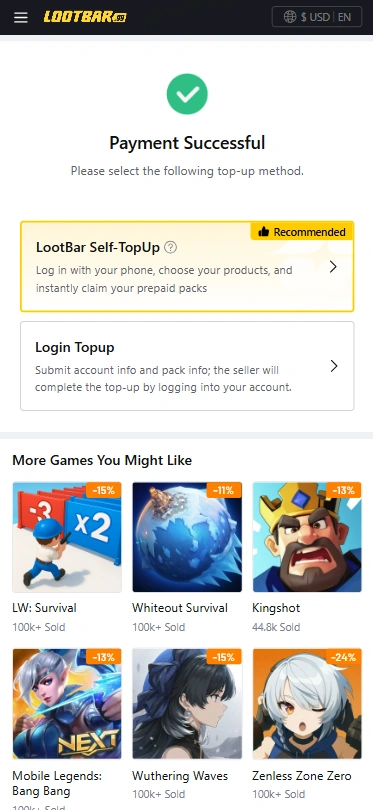
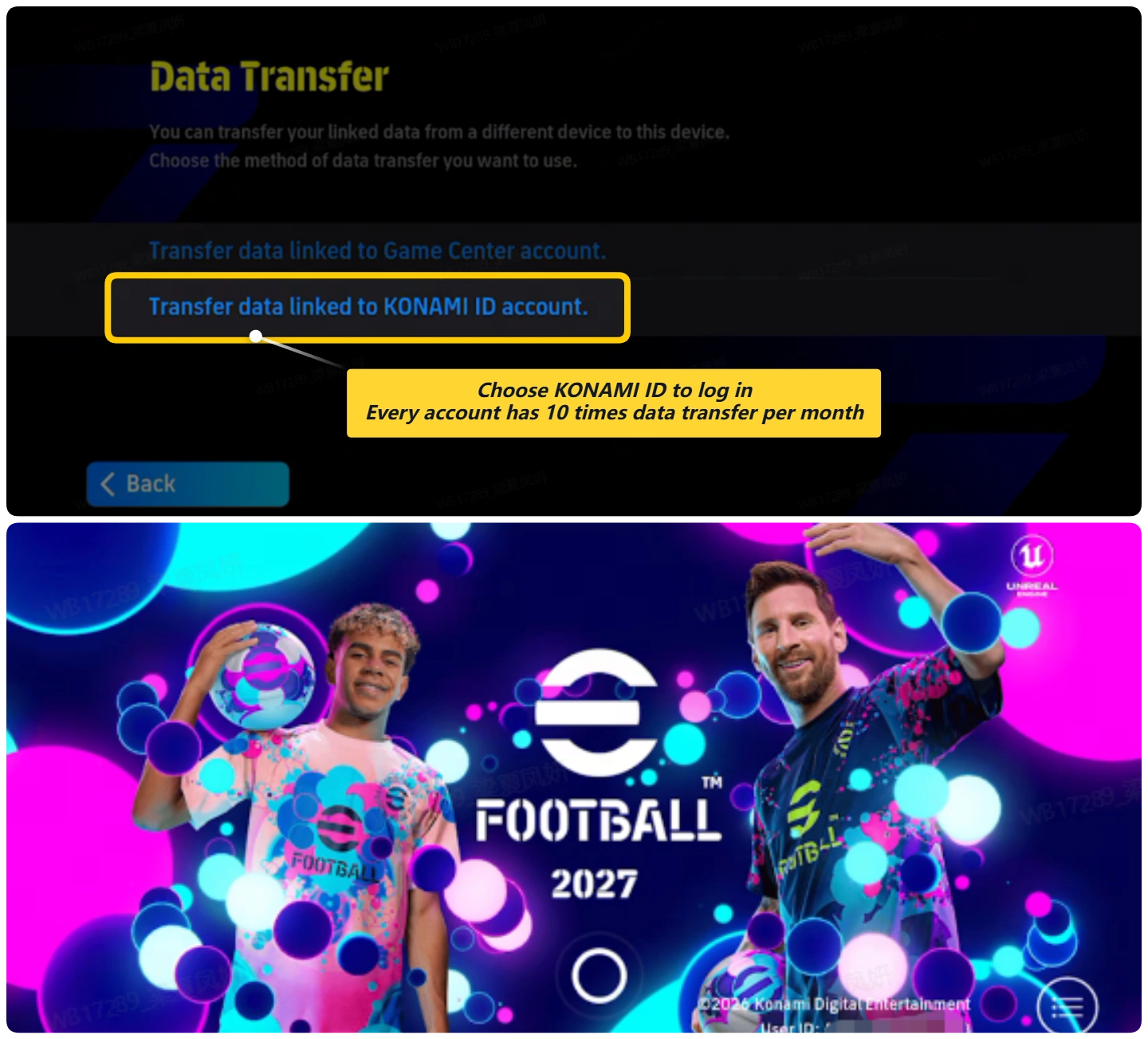
2. Log in to eFootball. Enter the game through the Self-TopUp interface, sign in to your eFootball KONAMI account, and open the in-game store.
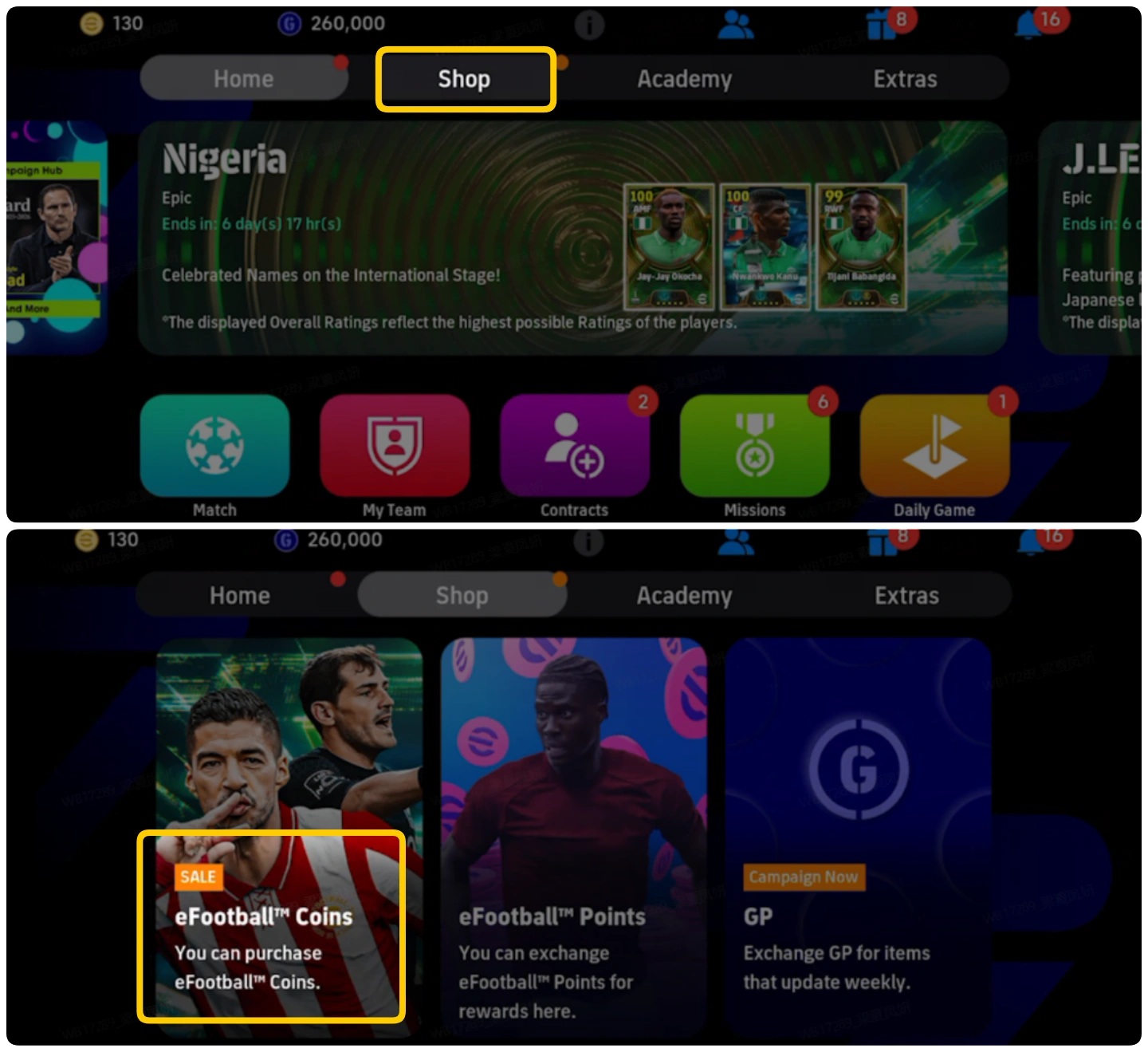
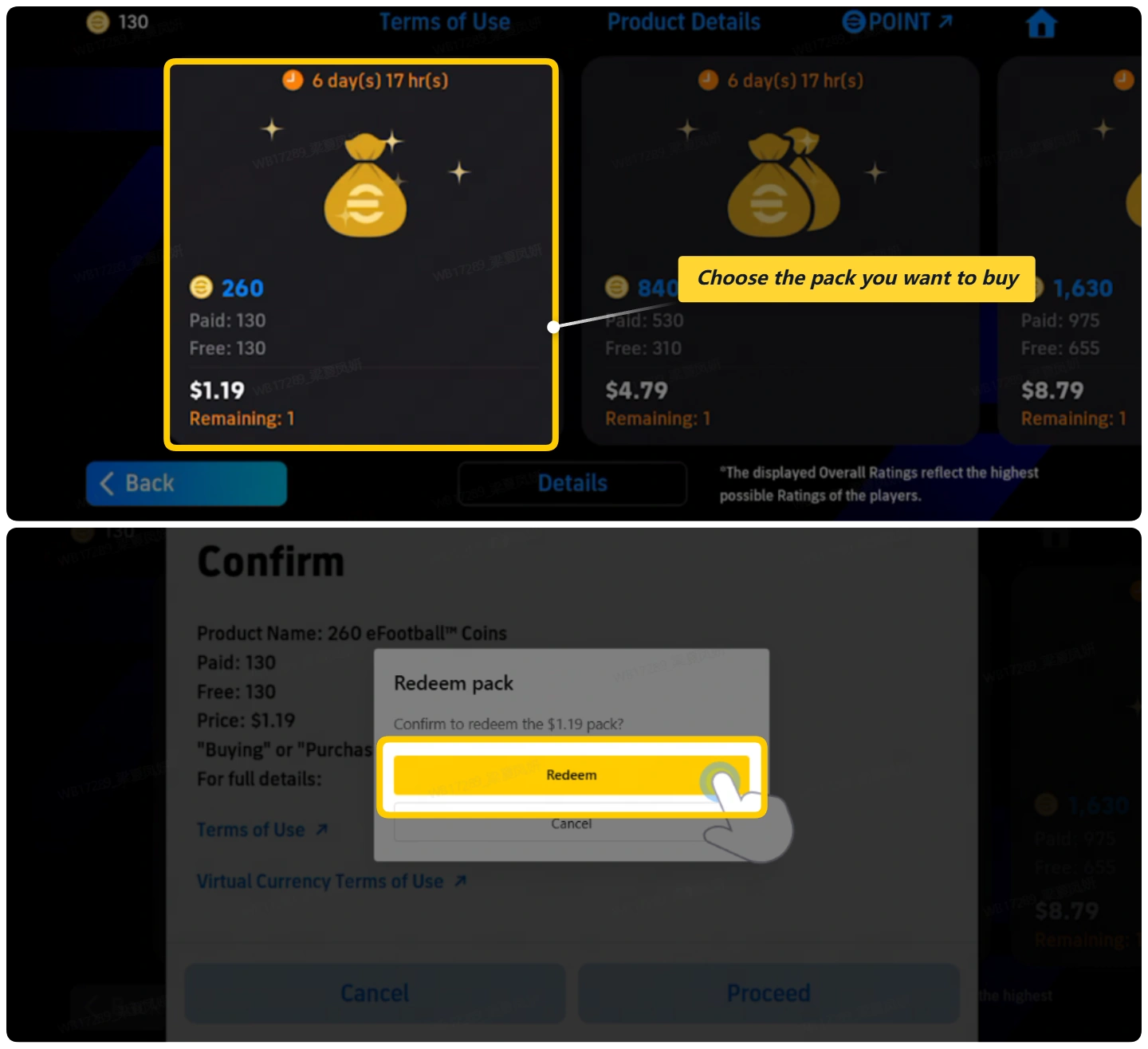
3. Find and redeem your package. Locate the in-game package that matches your LootBar order, confirm the package information, and select Redeem to claim it.
4. Wait for the recharge to complete. Redeeming the package may take a short time. Keep the Self-TopUp interface open and do NOT log in to the same eFootball account from another device or location while the top-up is being processed.
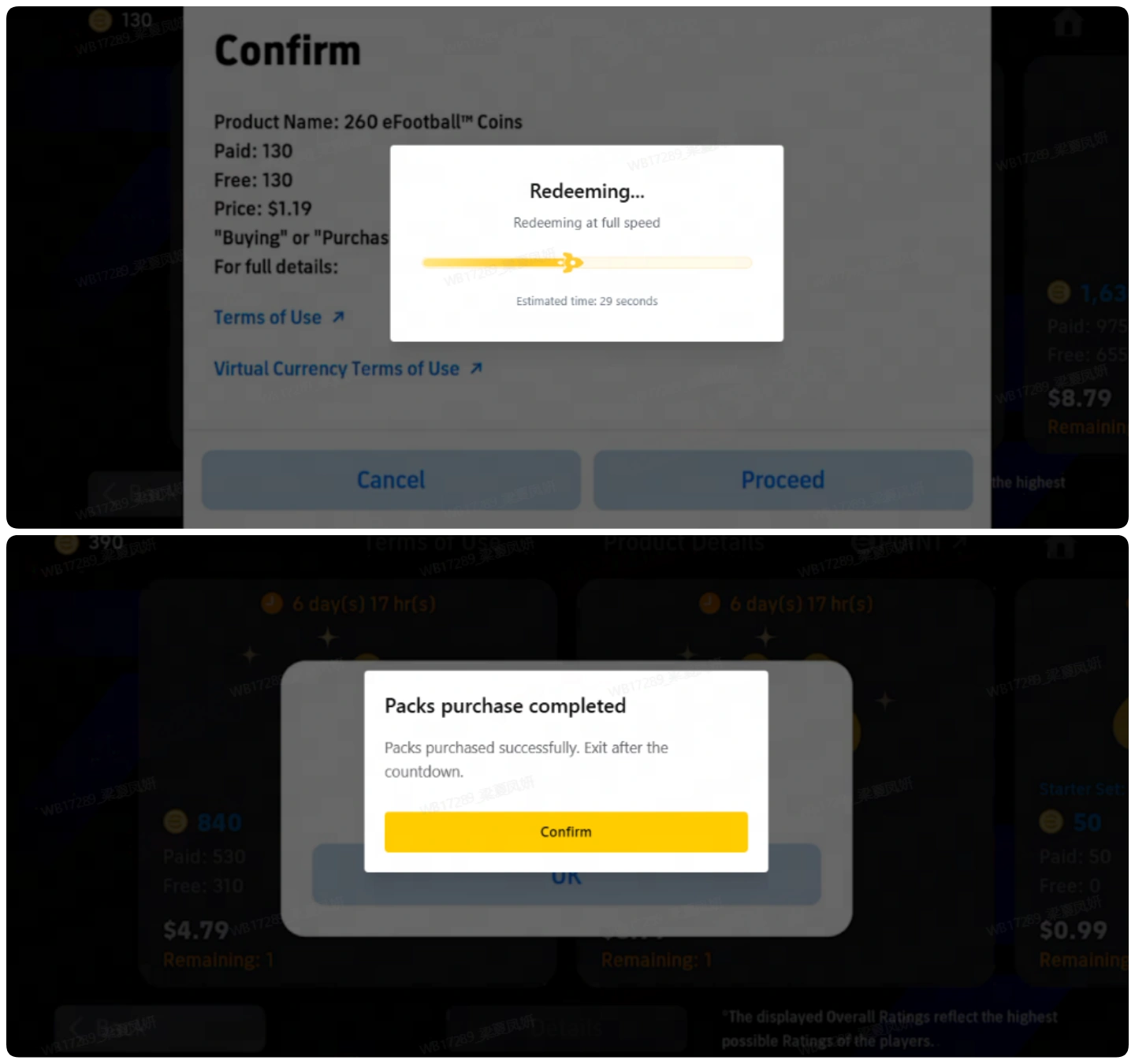
5. Verify your eFootball recharge. LootBar will notify you once the recharge is complete. You can then log back in to eFootball and check that your purchase has been successfully credited. When you exit the Self-TopUp interface, your login information will be cleared automatically.
Note:
1. All item prices in the Self-TopUp interface are shown in USD. If the LootBar page is currently displaying prices in a different currency, switch it to USD to compare prices accurately before starting the top-up process. In the eFootball store within Self-TopUp, you can then select any available bundle with an equivalent USD value to complete the recharge.
2. If you experience any issues while using Self-TopUp, please contact LootBar customer service with your account information for assistance.
3.Please note the monthly data‑transfer limit: 10 times per account per month. Redemption will not be available once this limit is exceeded.
What is eFootball?
eFootball delivers free-to-play, console-quality football on mobile. Build your Dream Team by signing superstars and legends, train and develop players, and compete in online matches with weekly Live Updates and seasonal events. Learn with tutorials, customise your stadium, and chase glory worldwide.
What are eFootball Coins?
In eFootball, eFootball Coins represent the primary currency that can be utilized to obtain premium content, including Player Packs, Special Player List signing bonuses, and other premium rewards, as well as limited time offers. Coin usage allows you greater flexibility in your Dream Team formation, enabling you to focus on the right players so you can seize special opportunities that arise. eFootball Coins also provide easier access to premium content than other resources, which can only be used for regular training and other activities related to squad management. Save eFootball Coins for banner signings or invest steadily to keep your club evolving every season.
Why Buy eFootball Coins?
While eFootball Coins can be obtained through particular in-game activities, purchasing them is a good solution for players who want to gain access to all premium products without having to wait for future rewards and promotions. The more Coins you obtain, the more chances you will have to act when valuable opportunities arise and form your Dream Team in accordance with your wishes and preferences.
- Sign top players: Get access to Special Players Lists and limited-time player packs to strengthen your team.
- Unlock premium products: Use Coins to get premium rewards, promotions, and special offers.
- Create your team quickly: Have greater opportunities to chase the players and products you need in accordance with your squad strategy.
How to Get eFootball Coins?
There are several ways to obtain eFootball Coins in the game:
- Login Campaigns and Events: Earn Coins through seasonal login rewards, celebratory campaigns, and limited-time event milestones.
- Missions and Objectives: Complete featured challenges and weekly objectives when eFootball Coins are offered as rewards.
- Official Giveaways: Watch for announcements, maintenance compensation, and occasional promotional Coin distributions.
- Purchase eFootball Coins: Buy Coins when you need additional currency for premium content, player signings, or limited-time opportunities.
Using free options such as events and campaigns, it is possible to accumulate eFootball Coins over time, although the quantity and scope of rewards can differ. If you wish to increase your balance without waiting for future rewards, buying the Coins provides a more straightforward option.
If you need to top up your account easily, you can buy eFootball Coins at LootBar, where your payments are made securely and attractive terms are provided to you. The official store in the game is another way to make the purchase.
Why LootBar is the Right Choice for You
LootBar is a global platform for game top-ups and item trading, offering secure transactions and broad game coverage for players worldwide. We partner with leading game publishers and support over 100 applications with multi-language top-ups, including FC26, Madden NFL 26, and NBA 2K26. To see all supported games, visit the LootBar Game Top-Up page.
On LootBar, you can count on the following services:
1. Secure Transactions
LootBar supports over 60 global payment methods, including PayPal, Visa, and MasterCard, making Efootball recharge simple and flexible. All Efootball top-up transactions are protected by bank-level encryption, PCI DSS-certified channels, and advanced anti-fraud systems, ensuring Efootball Coins recharge is always secure and reliable.
2. Instant Delivery
Top up Efootball on LootBar and receive your rewards instantly—no waiting. Buy Efootball Coins fast and enhance your Efootball experience right away.
3. Exclusive Offers
Choose LootBar to access exclusive promotions, bonus rewards, and limited-time deals during Efootball top-up.
4. 24/7 Customer Support
Our dedicated support team is available around the clock to assist with any questions or issues, ensuring a smooth recharge experience. If you have any questions about the Efootball top-up, please feel free to contact our support team.
How to Top Up eFootball on LootBar?
- Go to the official LootBar website (https://www.lootbar.com/), select your preferred language and currency, and log in to your account.
- From the Home page, choose Game Top-up > eFootball.
- Select the eFootball package and the amount of eFootball Coins you want, then click Top-up Now.
- Choose your preferred payment method and click Pay Now to complete the transaction.
- Enter your game login details—Login Method, Account, and Password—to ensure the eFootball top-up is successfully credited.
User Reviews
5.0
1.2k reviews
5 stars
99%
4 stars
1%
3 stars
0%
2 stars
0%
1 star
0%
All reviews
Image
Latest
Most Helpful
U1061198943
Oct 4, 2026
Purchased 130 Coins etc.
Très bon achat
Helpful
U1061258487
Oct 4, 2026
Purchased 300 Coins etc.
Easy and reliable
Helpful
ShadowGUY
Oct 4, 2026
Purchased 1040 Coins
Not so bad
Original Text
Helpful
Trustpilot
Order Information
Product10 Draws of Player
Quantity
Price
$6.60
Cart
0