




OfficialStore
Instant Activation via LootBar
Product Details
About the Lords of the Fallen
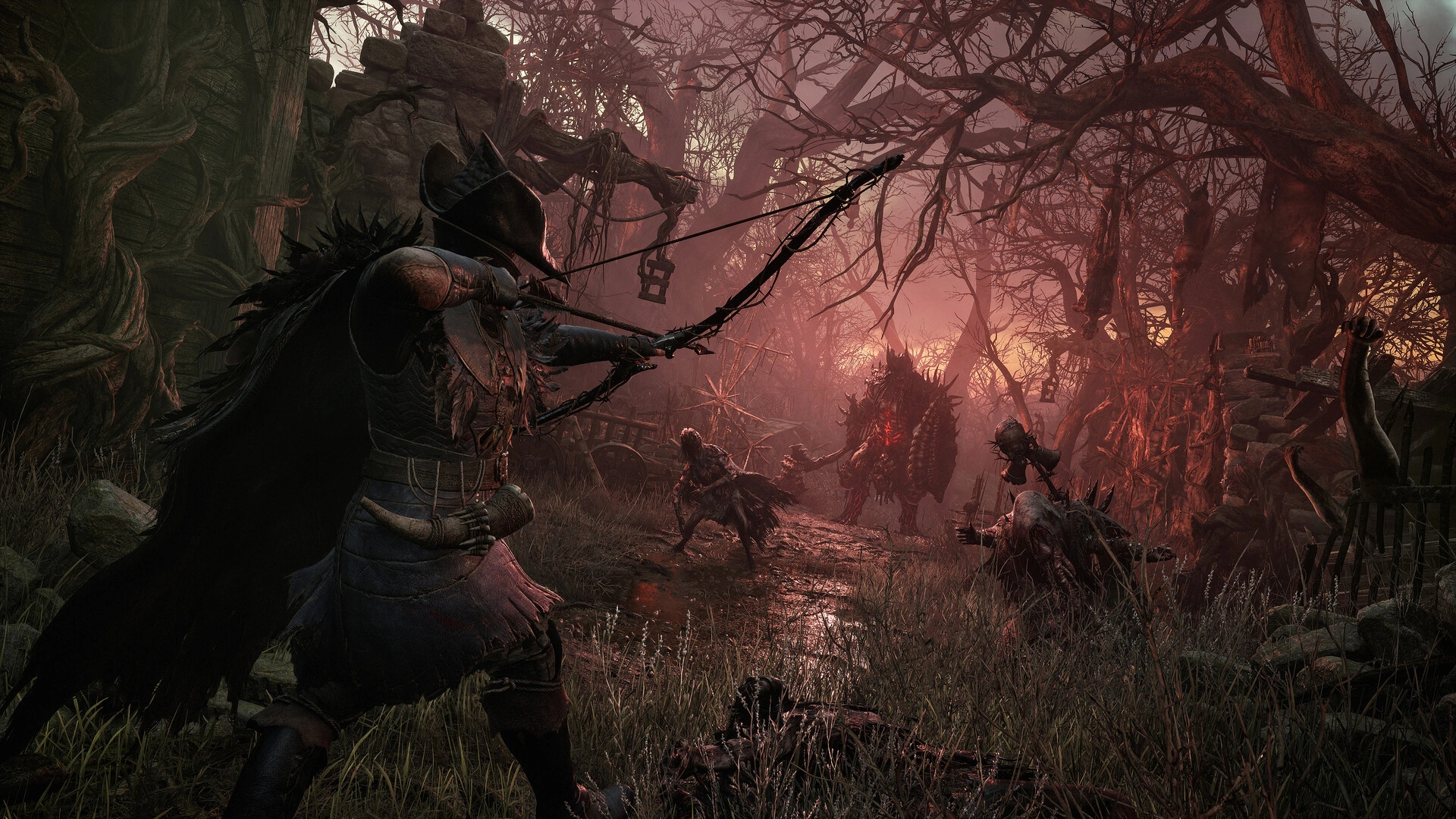
You're the Dark Crusader in Lords of the Fallen, sworn to keep the demon god Adyr sealed. The living world and the dead one are both open to you. Cutting through either means navigating a grim, sprawling realm where danger never quite lets up.
Combat hits hard. Careless play gets punished fast. Bosses tower overhead and demand precise timing; rushing in blind won't cut it. The two worlds overlap, and both reward exploration. Shortcuts, gear, and secret spots hide in each one, along with enemies unique to that side. Hundreds of weapons reshape how you fight—heavy flails, rapid crossbows, and everything that falls between. Arcane magic opens up a completely different path. Stats and equipment climb as you advance.
Nine classes set where you begin. From there, you shape your own build, pick which areas of the twin realms to pursue, and set your own combat pace. The goal stays direct: master the fighting system, track the boundary between life and death, and put an end to Adyr for good.
What is the Lords of the Fallen key?
Steam game key is an official activation code. Activate it on the platform after purchase to add the game to your account.
Two ways to go. Self-activation puts the game right into your library. The standard route hands you the key to activate yourself according to the activation guide.
Lords of the Fallen Review
The grimdark vistas in Lords of the Fallen land well, and the dual-realm hook keeps exploration tense. Co-op works, the boss fights deliver spectacle. Still, enemy spam gets old fast, and PC stutter plus optimization issues drag down the pacing and immersion.
System Requirements
User Reviews





FAQ
How to activate Lords of the Fallen key on Steam?
Your key arrives by email or LootBar system Notification after purchase. Launch Steam, head to Games, then Activate a Product on Steam... The rest shows up on screen. You can also activate through a browser by visiting Steam's key activation page. For hands-free activation, use LootBar self-activate service.
Is this Lords of the Fallen key region locked?
Yes, this key is region locked. Check the game description for which regions work.
Which platforms does Lords of the Fallen support?
PC, PS5, Xbox Series X/S
Does Lords of the Fallen support cross-platform compatibility?
Full cross-play is supported. PC , PlayStation 5, and Xbox Series X/S can play together in online co-op and PvP. No platform-specific restrictions are listed on Steam; recent updates add Shared Progression Co-op and a Free Friend’s Pass for multiplayer access.
Can Lords of the Fallen saves move between platforms?
Lords of the Fallen does not support cross-save or cross-progression between platforms; progress cannot transfer between Steam, PlayStation 5, and Xbox Series X|S. PC supports Steam Cloud saves, and “Shared Progression” refers only to co-op session progress, not account transfers.
Can you play Lords of the Fallen with other players?
Yes. Lords of the Fallen supports online co-op, including seamless co-op with full shared progression, plus a Free Friend’s Pass for non-owners to join friends. You can also play the entire campaign solo.
Are Lords of the Fallen keys authorized?
Yes. We get the keys straight from authorized distributors — nothing else.
Which countries and regions is Lords of the Fallen most popular in?
United States, China, Germany, Brazil, United Kingdom, France, Spain, Russia, Poland, Italy
Why buy Lords of the Fallen key on Lootbar?
Your key lands fast, activation is guaranteed, and support is there when you need it.
1. Instant Delivery. The key reaches you within 3 minutes of purchase.
2. Activation Guarantee. This Lords of the Fallen key is genuine, and we back successful activation.
3. 24/7 customer support. The team stays online around the clock for purchase questions or issues.
How to buy Lords of the Fallen key on Lootbar?
1. Head to LootBar and log in. No account? Register first.
2. Top menu first: open "Game keys" and choose "Lords of the Fallen".
3. Pick the key option you want.
4. Use "Buy Now", choose a payment method, and complete payment.
5. Enter the required details, then wait for delivery.
OfficialStore