




OfficialStore
Instant Activation via LootBar
Product Details
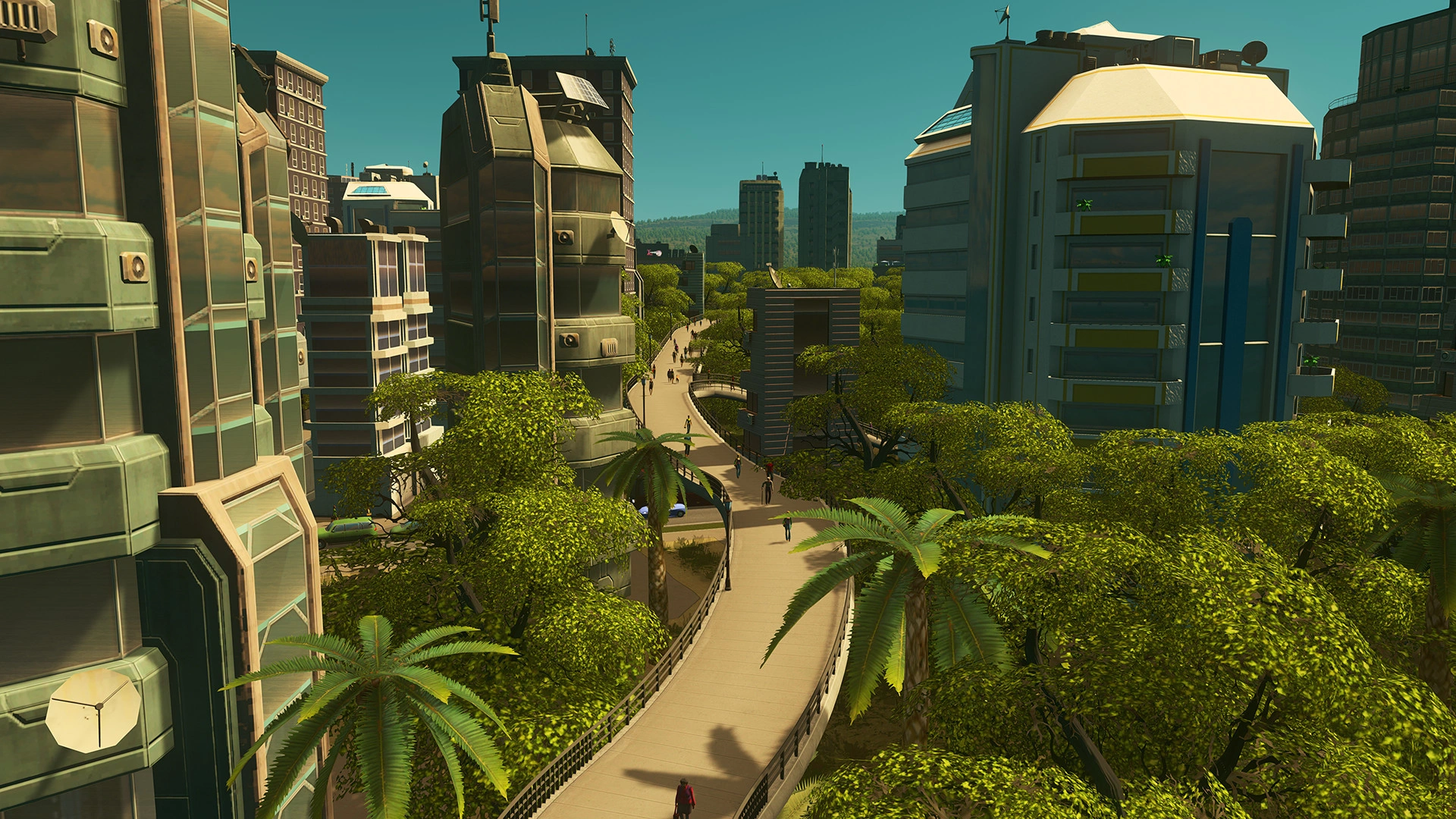
About the Cities: Skylines
Cities: Skylines hands you the mayor-planner job from a top-down view. You build a modern sandbox metropolis, laying out roads, carving districts, and keeping services, budgets, and a living population in line.
Transport networks are yours to design. Zone housing, commerce, and industry while juggling power, water, healthcare, education, and policing. Traffic needs constant attention. Taxes and policies require tweaking. New tools unlock as you hit milestones. Terrain, demand curves, and Steam Workshop mods keep each city fresh. Congestion, pollution, and tight budgets keep you honest.
Every choice ripples through the simulation. Policies nudge citizen behavior. Route changes redirect flow. Your overall layout steers where growth happens. The draw is simple: plan from above, then watch a believable city react to what you built, again and again.
What is the Cities: Skylines key?
Steam game key is an official activation code. Activate it on the platform after purchase to add the game to your account.
Two ways to go. Self-activation puts the game right into your library. The standard route hands you the key to activate yourself according to the activation guide.
Cities: Skylines Review
Zoning works, district policies let you shape things, and traffic isn't something you can ignore. The look's nice, ambient audio stays chill, and Steam Workshop mod support keeps the game going. Some stretches slow down, and the micromanagement can wallop new players.
System Requirements
User Reviews





FAQ
How to activate Cities: Skylines key on Steam?
Your key arrives by email or LootBar system Notification after purchase. Launch Steam, head to Games, then Activate a Product on Steam... The rest shows up on screen. You can also activate through a browser by visiting Steam's key activation page. For hands-free activation, use LootBar self-activate service.
Is this Cities: Skylines key region locked?
Yes, this key is region locked. Check the game description for which regions work.
Which platforms does Cities: Skylines support?
PC
Does Cities: Skylines support cross-platform compatibility?
Cities: Skylines keeps each platform in its own lane. There's no cross-play — the game is built for solo play, so PC and console never link up for multiplayer. Saves and mods stay locked to whichever system you're on.
Can Cities: Skylines saves move between platforms?
Cities: Skylines doesn't do cross-save. Your progress stays locked to whatever platform you're playing on. Steam Cloud covers you across Windows, macOS, and Linux if you're using the same account. Consoles don't get that same treatment -- no sign of cross-platform saves on that side.
Can you play Cities: Skylines with other players?
Cities: Skylines keeps you solo. There's no online, no co-op, no PvP — no multiplayer of any kind. The whole city is yours to build and manage alone.
Are Cities: Skylines keys authorized?
Yes. We get the keys straight from authorized distributors — nothing else.
Which countries and regions is Cities: Skylines most popular in?
United States, China, Russia, Germany, United Kingdom, Canada, France, Poland, Netherlands, Sweden, Australia, Brazil
Why buy Cities: Skylines key on Lootbar?
Your key lands fast, activation is guaranteed, and support is there when you need it.
1. Instant Delivery. The key reaches you within 3 minutes of purchase.
2. Activation Guarantee. This Cities: Skylines key is genuine, and we back successful activation.
3. 24/7 customer support. The team stays online around the clock for purchase questions or issues.
How to buy Cities: Skylines key on Lootbar?
1. Head to LootBar and log in. No account? Register first.
2. Top menu first: open "Game keys" and choose "Cities: Skylines".
3. Pick the key option you want.
4. Use "Buy Now", choose a payment method, and complete payment.
5. Enter the required details, then wait for delivery.
OfficialStore