
Your search history is empty


Epic VII Top Up
5.0
65
1.9k Sold
Fast
Safe
24/7
- 14
- 14
- 53
Invite Friends and Get 3*8% OFF Discount
- 28 Days Skystone Check-In Pack$4.01-$0.98$4.99
- 28 Days Leif Check-In Pack$8.01-$1.98$9.99
- Covenant Value Pack$4.01-$0.98$4.99
- Covenant Special Pack$40.02-$9.97$49.99
- Covenant Premium Pack$80.04-$19.95$99.99
- Skill Enhancement Check-In Pack I$24.02-$5.97$29.99
- Skill Enhancement Check-In Pack II$40.02-$9.97$49.99
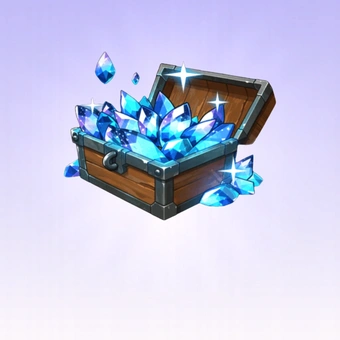
- 60 Skystones$1.61-$0.38$1.99
- 155 Skystones$4.01-$0.98$4.99
- 320 Skystones$8.01-$1.98$9.99
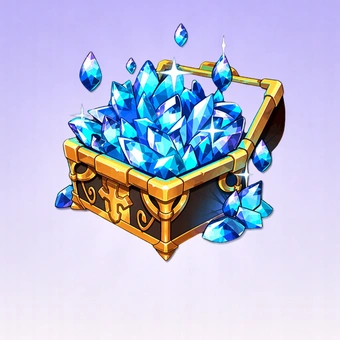
- 990 Skystones$24.02-$5.97$29.99
- 1800 Skystones$40.02-$9.97$49.99
- 3800 Skystones$80.04-$19.95$99.99
- Any 0.99 Pack$0.81-$0.18$0.99
- Any 1.99 Pack$1.61-$0.38$1.99
- Any 2.99 Pack$2.41-$0.58$2.99
- Any 4.99 Pack$4.01-$0.98$4.99
- Any 9.99 Pack$8.01-$1.98$9.99
- Any 19.99 Pack$16.01-$3.98$19.99
- Any 29.99 Pack$24.02-$5.97$29.99
- Any 49.99 Pack$40.02-$9.97$49.99
- Any 99.99 Pack$80.04-$19.95$99.99









Can’t find the pack you’re looking for?
Top-up instructions
Epic Seven Top-up Guidance
Please be sure to fill in the required information accurately by following the top-up guidance, to receive your Epic Seven packs within a few minutes.
Applicable Platform
Epic Seven Mobile game
Applicable Server
International Server
Top-up Required Information
- Server Number
- User name
- User ID
- Account(Google/Facebook/E-mail)
- Password
Note: Please fill in the required information accurately for Epic Seven top-up to ensure you receive your recharged currencies promptly.
How to Obtain Your User Info?
1. Your user name is on the top-left corner.
2.Click the botton on th top-right corner.
3.Click the "Setting" for more information.
4.Here is your user info.
What Is Epic Seven?
Epic Seven is a cinematic anime RPG built around assembling heroes, running turn-based combat, and pushing through a sprawling campaign. You summon characters, build them up, craft gear, and take on Abyss, Hunt, and Labyrinth. Guild content is there, plus Arena and World Arena PvP, and the skill animations go heavy on flash.
What Are Skystones in Epic Seven?
Skystones are the premium currency in Epic Seven, and they go a long way toward moving your account forward.
- Spend Skystones on summons to pull new heroes and grow your roster fast
- Keep stamina topped up so gear farming and material runs never hit a wall
- Grab premium bundles and the Epic Pass to unlock exclusive content and seasonal rewards
- Speed up character growth and gain a real edge across Arena and World Arena PvP
Why Is Buying Epic Seven Skystone Necessary?
Epic Seven Skystone is the premium currency behind summoning, stamina management, shop refreshing, and access to content like the Epic Pass. For players who want to speed up their progress, buying Skystone matters.
1. Exchange it for Covenant Bookmarks to fund gacha pulls and grow your hero and artifact collection.
2. Refill stamina so gear and material farming never hits a wall.
3. Refresh the Secret Shop or grab premium bundles and the Epic Pass for bigger upgrades.
How to Get Skystones in Epic Seven?
Players can get Skystone in a few ways:
1. Story & Missions: Clear Adventure stages with all objectives and finish Reputation and Adventurer's Path tasks to claim Skystone.
2. PvP Rewards: Climb Arena tiers for weekly payouts based on your rank.
3. Events & Logins: Jump into Side Stories, limited-time events, and regular login bonuses that hand out Skystone.
Free methods like progression, PvP, and events work, but they're slow. Paid Skystone is how you get large amounts fast without waiting. LootBar offers a straightforward top-up with exclusive pricing, secure payments, and quick delivery. The official in-game store is another option if you prefer buying directly.
Why Lootbar Is the Right Choice for You?
LootBar handles game top-ups and item trading worldwide. We've partnered with major publishers and cover recharges for many titles across multiple languages — Genshin Impact, Honkai: Star Rail, and Wuthering Waves among them. Check the LootBar Game Top-Up page for the full list of supported games.
Here's what that means for your Epic Seven recharges:
1. Secure transactions — Many global payment methods, PayPal and Visa and MasterCard included. Every transaction runs through bank-level encryption, PCI DSS-certified channels, and anti-fraud systems.
2. Instant delivery — Your rewards hit your account immediately after top-up. No queue, no delay.
3. Exclusive offers — Promotions, bonus rewards, and limited-time deals run specifically for Epic Seven players.
4. 24/7 customer support — Our team handles Epic Seven top-up issues around the clock — reach out whenever.
Explore More Anime & RPG Games on LootBar
Epic Seven's cinematic gacha pulls and turn-based hero-building sit at the heart of a thriving anime RPG genre. If you enjoy assembling a deep roster and chasing optimal gear, grab a Star Rail top up to fuel your Stellar Jade reserves in Honkai: Star Rail's strategic turn-based combat, or Top up Brown Dust 2 to expand your squad in its tactical grid battles and richly illustrated character collection system.
For players drawn to Epic Seven's darker narrative moments and stylish character design, pick up Limbus Company Lunacy to recruit Sinners in Project Moon's psychologically intense gacha RPG, or invest in a P5X topup to summon Phantom Thieves and experience Persona 5: The Phantom X's slick anime aesthetic and turn-based heists. Meanwhile, those who thrive on champion progression and PvE raid challenges can head to the Raid Shadow Legends shop to unlock shards and accelerate champion fusion in RAID's massive roster — all available on LootBar with instant delivery and competitive pricing.
How to Top Up Epic Seven on LootBar?
1. Go to the official LootBar, choose your preferred language and currency, then sign in to your account.
2. On the Home page, navigate to Game Top-up & Recharge > Epic Seven.
3. Select the Epic Seven package and the Skystone amount you want, then click Top-up Now.
4. Choose your payment method and click Pay Now to complete the purchase.
5. When prompted, enter your game login details — Login Method, Account, and Password — to ensure the top-up is credited successfully.
User Reviews
5.0
65 reviews
5 stars
100%
4 stars
0%
3 stars
0%
2 stars
0%
1 star
0%
All reviews
Image
Latest
Most Helpful
U1071319636
Oct 18, 2026
Purchased Any 2.99 Pack
Cheap and quick
Helpful
U1070057591
Oct 16, 2026
Purchased Covenant Value Pack
So convenient
Helpful
U1069883616
Oct 12, 2026
Purchased Covenant Premium Pack
Secure checkout
Helpful
Trustpilot
Order Information
Product28 Days Skystone Check-In Pack
Top-up Method Login Top-up
Quantity
Price
$4.01
Cart
0