
Your search history is empty


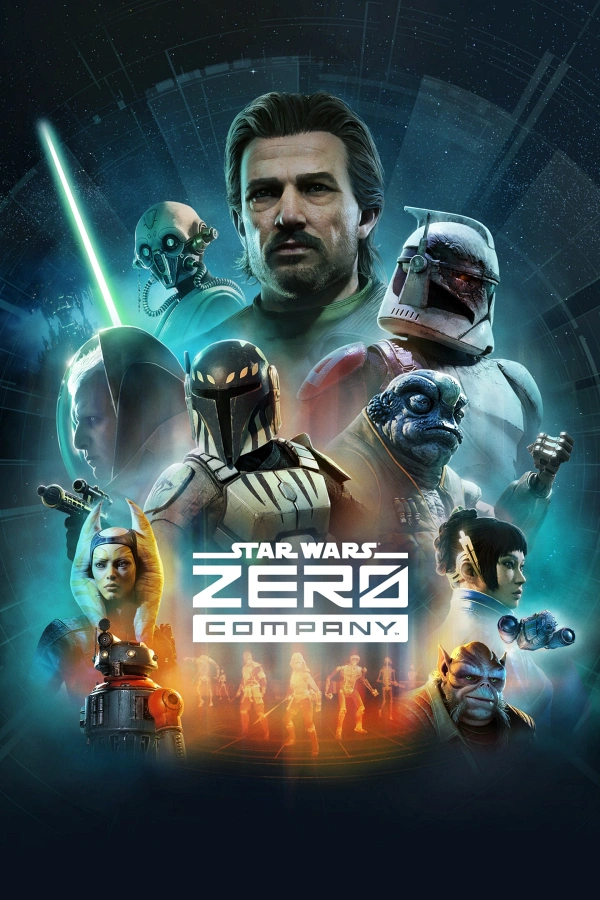
STAR WARS Zero Company™ Steam Key PC - Global
Instant ActivationOfficial Distribution
- 13
- 58
- 58
Invite Friends and Get 3*10% OFF Discount
Type:Digital Key

Platform:Steam
Activation guide
Cannot be activated in: IANA

Region:ROW
99.8% Positive
Instant Activate on LootBar
Link your Steam account to LootBar
Automatically activated right after purchase
Verify the activation result to ensure it's successful
Product Details
About the STAR WARS Zero Company™
STAR WARS Zero Company is a single-player, turn-based squad tactics game with an isometric view. You play as former Republic commander Hawks in the closing days of the Clone Wars, leading Zero Company through a cinematic campaign across a restless galaxy.
Base planning gives way to precise ground operations and investigations. Hawks commands a crew of rogues, astromechs, and even a Jedi. Class skills, cover, and coordinated team-ups let you outmaneuver hostile forces. Squad bonds strengthen and unlock new synergies. Customize Hawks and gear up recruits with abilities as missions and threats shift.
Preparation choices and battlefield decisions shape tactics, squad cohesion, and how encounters unfold. Each run stays distinct while the story keeps its focus. The draw is disciplined, readable turn-based combat steeped in authentic Clone Wars atmosphere, with a tight-knit crew pushed to their limits.
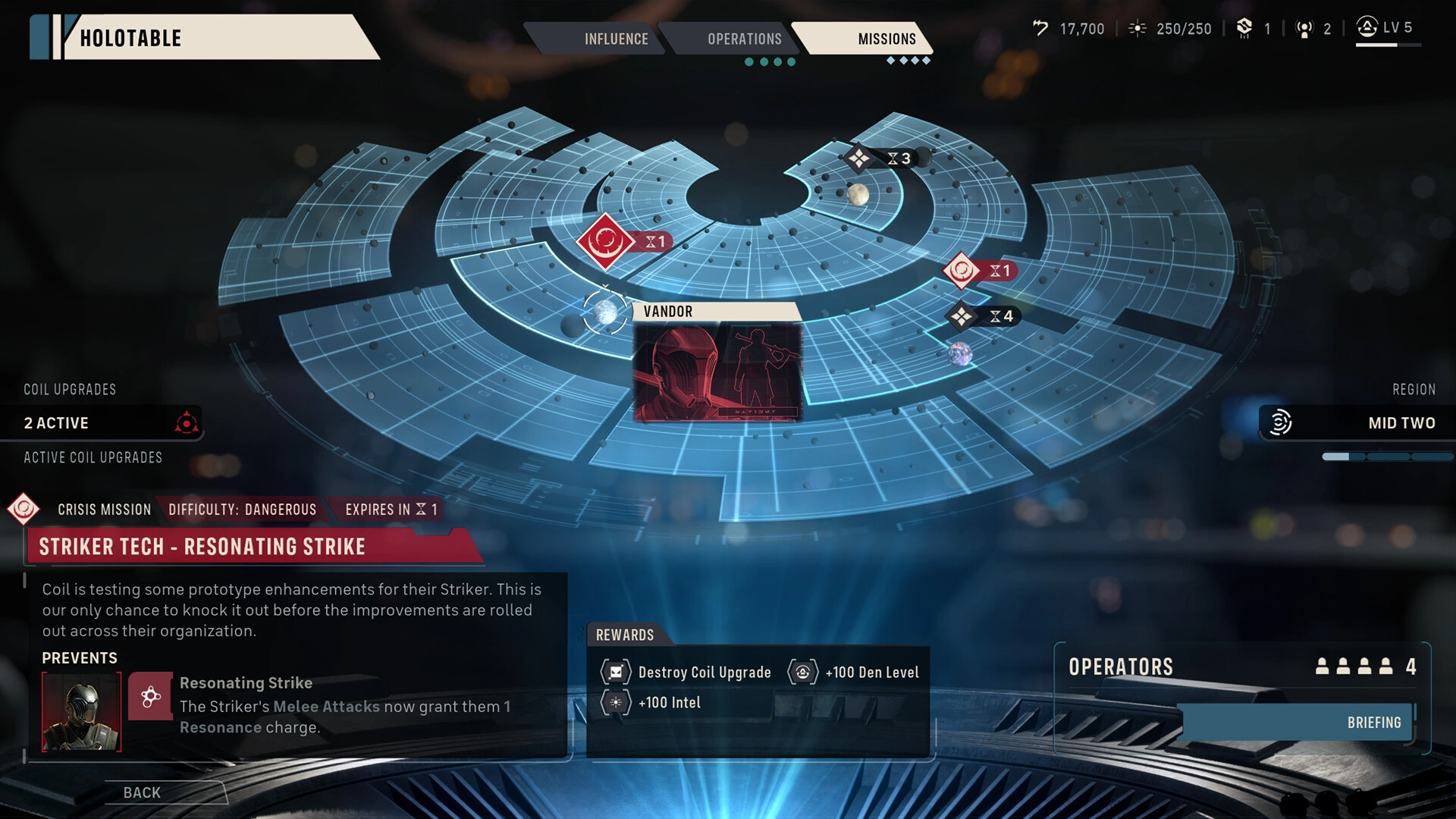
What is the STAR WARS Zero Company™ key?
Steam game key is an official activation code. Activate it on the platform after purchase to add the game to your account.
Two ways to go. Self-activation puts the game right into your library. The standard route hands you the key to activate yourself according to the activation guide.
STAR WARS Zero Company™ Review
Zero Company runs on deliberate, turn-based tactics through gritty Clone Wars skirmishes. Squad synergy matters. So does mission variety and how you kit out your unit. The cinematic storytelling lands well, and HDR support helps it pop. Not everyone will love the measured pacing, though. Same goes for the 1080p/30fps minimum targets if you're after non-stop spectacle.
System Requirements
System Requirements Recommended System Requirements
additional notesResolution: 1920x1080 Native FPS: 30 Graphics Settings Preset: Low
additional notesResolution: 2560x1440 Native FPS: 60 Graphics Settings Preset: High
graphicsNvidia GeForce GTX 1080, Radeon RX 5600 XT, or Intel ARC B580
graphicsNvidia Geforce RTX 3080 or Radeon RX 7800 XT
memory16 GB RAM
memory32 GB RAM
os64 bit Windows 10/11 (Windows 11 Recommended)
os64 bit Windows 10/11 (Windows 11 Recommended)
processorIntel Core i5-8400 or Ryzen 5 2600X
processorIntel Core i7-10700K or Ryzen 7 3700X
storage50 GB available space
storage50 GB available space
Basic Info
Release Date2026-08-27
PublisherElectronic Arts
DeveloperBit Reactor
GenreStrategy
Game ModeSingle-player, Steam Achievements
Player Perspectives
Turn-Based TacticsTurn-Based StrategySci-fiSingleplayerStrategyTurn-Based CombatTacticalTurn-BasedPvEIsometricCharacter CustomizationCinematicReplay ValueRPGAction RTSComedyStrategy RPGArcadeSouls-likeGrid-Based Movement
More Games You Might Like




FAQ
How to activate STAR WARS Zero Company™ key on Steam?
Your key arrives by email or LootBar system Notification after purchase. Launch Steam, head to Games, then Activate a Product on Steam... The rest shows up on screen. You can also activate through a browser by visiting Steam's key activation page. For hands-free activation, use LootBar self-activate service.
Is this STAR WARS Zero Company™ key region locked?
Yes, this key is region locked. Check the game description for which regions work.
Which platforms does STAR WARS Zero Company™ support?
PC
Does STAR WARS Zero Company™ support cross-platform compatibility?
Cross-play doesn't exist here. The Steam page only tags PC, so PlayStation, Xbox, Switch, and mobile players are off the table. Cross-progression and similar features aren't listed either — just the PC platform.
Can STAR WARS Zero Company™ saves move between platforms?
STAR WARS Zero Company has no announced cross-save or cross-progression. The Steam page only lists Steam Cloud support, which syncs saves within Steam on PC; it does not indicate progress transfer to other platforms or ecosystems.
Can you play STAR WARS Zero Company™ with other players?
STAR WARS Zero Company™ doesn't have multiplayer. It's built for solo play: turn-based tactics through a story campaign, with Steam achievements and cloud saves alongside. No co-op, no online, no other modes.
Are STAR WARS Zero Company™ keys authorized?
Yes. We get the keys straight from authorized distributors — nothing else.
Which countries and regions is STAR WARS Zero Company™ most popular in?
United States, United Kingdom, Germany, France, Canada, Australia, Brazil, South Korea, Russia, Poland
Why buy STAR WARS Zero Company™ key on Lootbar?
Your key lands fast, activation is guaranteed, and support is there when you need it.
1. Instant Delivery. The key reaches you within 3 minutes of purchase.
2. Activation Guarantee. This STAR WARS Zero Company™ key is genuine, and we back successful activation.
3. 24/7 customer support. The team stays online around the clock for purchase questions or issues.
How to buy STAR WARS Zero Company™ key on Lootbar?
1. Head to LootBar and log in. No account? Register first.
2. Top menu first: open "Game keys" and choose "STAR WARS Zero Company™".
3. Pick the key option you want.
4. Use "Buy Now", choose a payment method, and complete payment.
5. Enter the required details, then wait for delivery.
99.8% Positive
Price
Calculating...
Instant Delivery
Secure Checkout
24/7 Support