



Game Kingdom
Instant Activation via LootBar
Product Details
About the Outbound
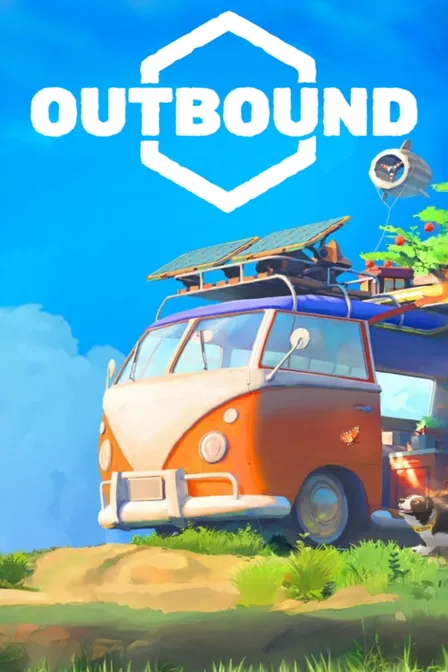
Outbound drops you into a gentle, utopian near future. You start with an empty electric camper van and build it into a rolling home. Explore bright biomes solo or with up to four others, setting your own pace.
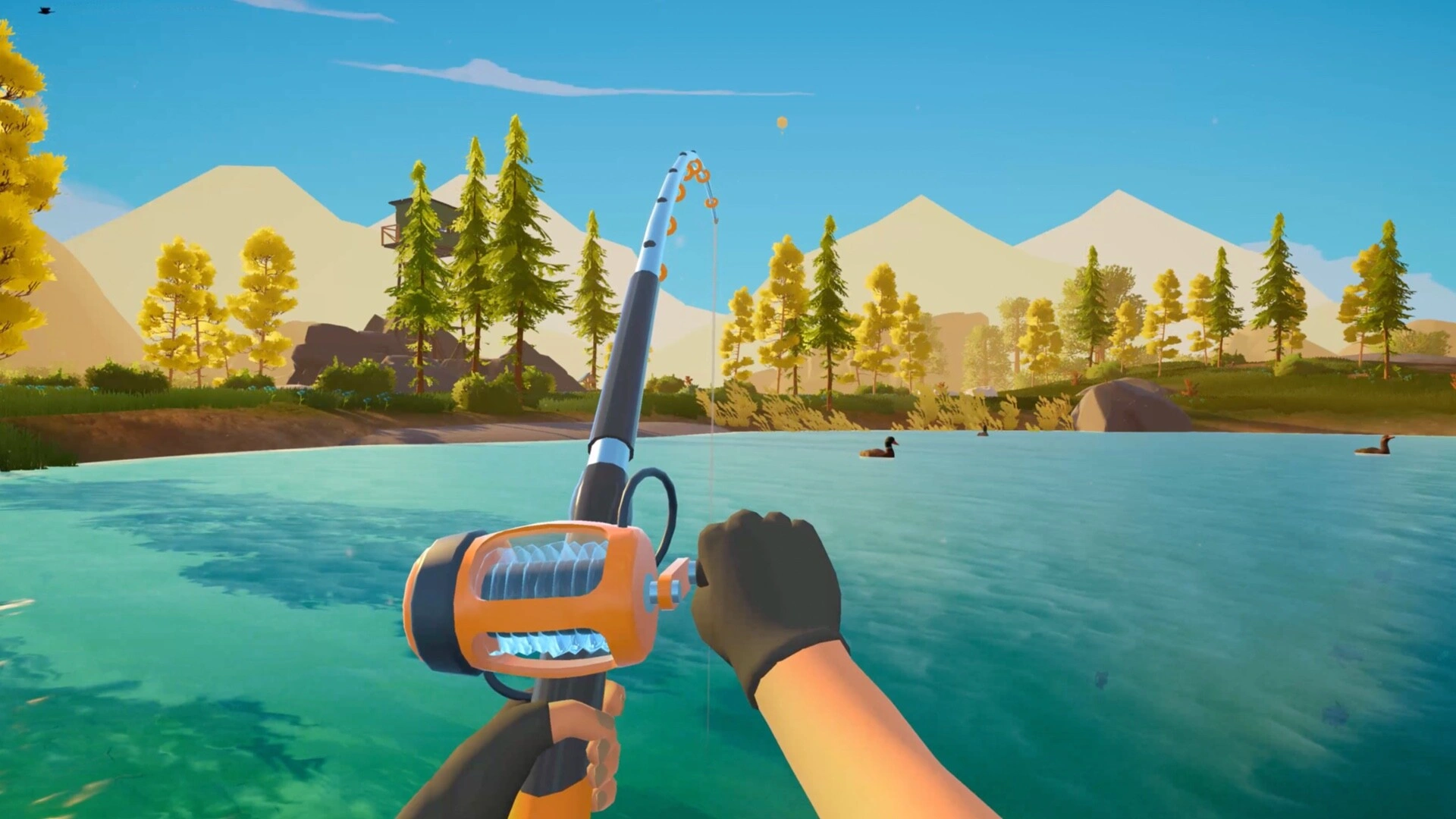
Gather materials, craft workstations, and snap modular parts anywhere on or inside the van. Paint, decorate, and furnish however you like. Power your grid through sun, wind, or water. Hunt down landmarks, grow plants and mushrooms, cook meals, and adopt a pet to train. Routes, layouts, and energy setups keep each run different.
Comfort, efficiency, and style shift with your choices as new tech opens up better tools. In co-op, you split roles: someone drives, someone builds, someone decides how you live together. The pull here is calm first-person road life, where sustainable systems and personal design turn every mile into home.
What is the Outbound key?
Steam game key is an official activation code. Activate it on the platform after purchase to add the game to your account.
Two ways to go. Self-activation puts the game right into your library. The standard route hands you the key to activate yourself according to the activation guide.
Outbound Review
A road-life sim built around a cozy, off-grid setup. You get an electric camper, mod it into a mobile home, then gather resources, garden, and explore bright biomes solo or in four-player co-op. Relaxed pacing, gentle audiovisuals, and solid player response round it out.
System Requirements
User Reviews




FAQ
How to activate Outbound key on Steam?
Your key arrives by email or LootBar system Notification after purchase. Launch Steam, head to Games, then Activate a Product on Steam... The rest shows up on screen. You can also activate through a browser by visiting Steam's key activation page. For hands-free activation, use LootBar self-activate service.
Is this Outbound key region locked?
Yes, this key is region locked. Check the game description for which regions work.
Which platforms does Outbound support?
PC
Does Outbound support cross-platform compatibility?
Outbound hasn't said anything about cross-platform cross-play. The Steam page mentions online co-op on PC, but that's it. No word on console support, other storefronts, cross-progression, or any limits. None of it comes up at all.
Can Outbound saves move between platforms?
Outbound does not advertise cross-save or cross-progression across different platforms. The Steam page only lists Steam Cloud, which syncs saves between Steam PCs. No cross-platform progression transfer or account-linking options are mentioned.
Can you play Outbound with other players?
Yes, Outbound supports multiplayer via online co-op for up to four players, letting you build and explore together. It also offers full single-player play if you prefer traveling and crafting alone.
Are Outbound keys authorized?
Yes. We get the keys straight from authorized distributors — nothing else.
Which countries and regions is Outbound most popular in?
United States, China, Germany, Brazil, Russia, United Kingdom, France, Turkey, Japan, Australia
Why buy Outbound key on Lootbar?
Your key lands fast, activation is guaranteed, and support is there when you need it.
1. Instant Delivery. The key reaches you within 3 minutes of purchase.
2. Activation Guarantee. This Outbound key is genuine, and we back successful activation.
3. 24/7 customer support. The team stays online around the clock for purchase questions or issues.
How to buy Outbound key on Lootbar?
1. Head to LootBar and log in. No account? Register first.
2. Top menu first: open "Game keys" and choose "Outbound".
3. Pick the key option you want.
4. Use "Buy Now", choose a payment method, and complete payment.
5. Enter the required details, then wait for delivery.
Game Kingdom