



Lootbar
Attivazione automatica su LootBar
Dettagli del prodotto
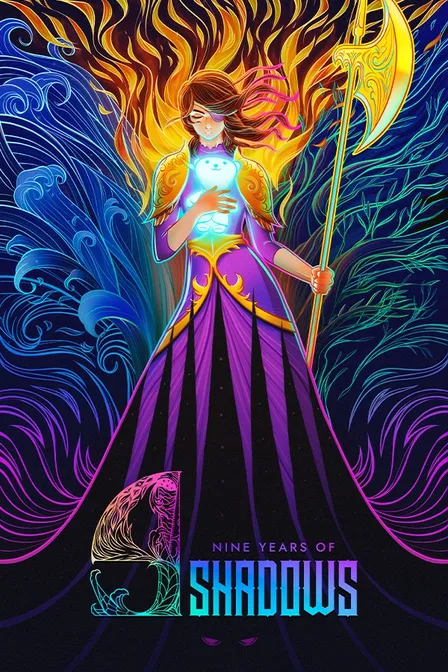
Imagine a once-vibrant castle choked by shadow, where every slash rains color back onto its hand-crafted halls as you push deeper with Europa and her ghostly friend, Apino. At its heart, it's a tight, exploration-driven action adventure that has you restore beauty to a dark world and uncover Europa's story. Grab your 9 Years of Shadows Steam key for PC at the Best Price with Secure checkout, Fast Delivery, and Auto-Activation-jump in within minutes. Prefer a 9 Years of Shadows CD key? You're set either way; claim it now and start bringing the light back.
9 Years of Shadows Steam Key Details
| Game | 9 Years of Shadows |
| Platform | Steam |
| Supported Devices | PC |
| Key Type | 15 or 25 character digital activation code |
| Delivery Time | Instant delivery |
| Activation Method | 1. Instant activation on LootBar 2. Redeem manually on Steam Store |
Please note that CDKeys for pre-ordered games will only be delivered after the official release date.
About the 9 Years of Shadows
9 Years of Shadows is a 2D, side-scrolling Metroidvania set in a land drained of color. You guide Europa into Talos, a mechanical giant, to stop a spreading corruption. Apino, her ghostly childhood companion, comes along. Soft melodies and ruined corridors give the journey a somber feel, but the mood stays hopeful. Life seems ready to return.
Talos is a dormant fortress with layers of civilizations inside. Its interconnected halls lead through districts with their own sights and routes. Along the way, you fight tainted creatures, find shortcuts, and restore color to each wing. You’ll also meet charismatic musicians. Earn new ways to get around, and paths deeper into the fortress open up. Restored spaces feel different when revisited, so each run toward the heart of the curse stays fresh.
This focused single-player journey is about reclaiming color little by little. Its pace and challenge depend on where you go, which battles you consider worth the risk, and how thoroughly you search. Your exploration is set to music as the world returns to life, and each discovery carries weight. You’ll also uncover the truth behind nine years of darkness.
Learn more about Halberd Studios and follow the latest updates on Steam.
9 Years of Shadows Review
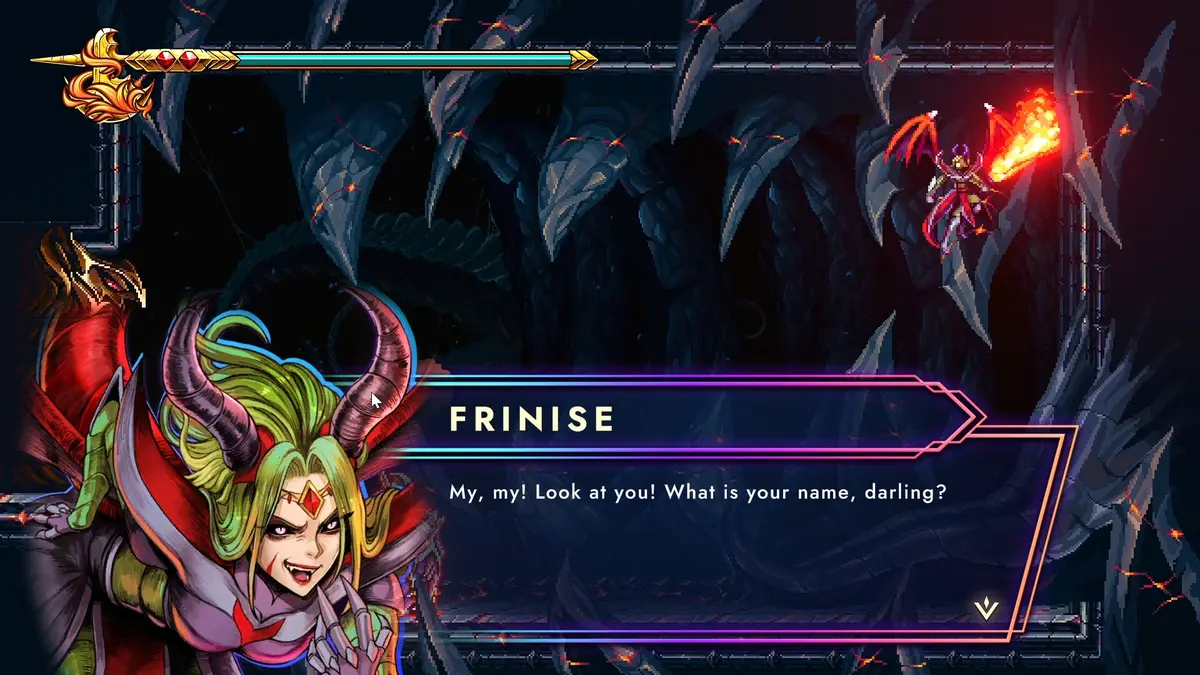
Years after launch, 9 Years of Shadows has settled into its place as a modern indie Metroidvania with a clear critical consensus: lavish art direction, a standout Yamane/Hibino-driven score, and satisfying elemental armor routes carry an otherwise familiar loop. Reviews collected on Metacritic and OpenCritic converge on praise for its atmosphere and boss design while noting uneven difficulty and occasional backtracking drag-yet its personality and polish have kept it in recommendation columns.
Today the game plays best on PC, with post-launch patches improving stability, input responsiveness, and minor progression snags, and a small but steady community sustaining speedrun routes, 100% guides, and challenge runs. If you crave painterly worlds, hummable melodies, and bite-sized exploration that respects your time, this belongs in your backlog; fans of Ori and the Blind Forest's silky platforming or Hollow Knight's methodical exploration will find a warmly crafted, shorter alternative they can finish over a weekend-and one that still feels worth returning to for completion runs.
Why Buy 9 Years of Shadows Steam Key on LootBar?
- Exclusive Discounts. Among CDKey stores, LootBar delivers unrivaled deals for your 9 Years of Shadows Steam key purchase.
- 100% Secure Checkout. Check out with confidence-LootBar supports 60+ globally recognized payment methods, including your preferred local options, and employs top-tier encryption to ensure your payment security.
- Instant Delivery. LootBar makes purchasing and activating 9 Years of Shadows CD keys effortless, ensuring you receive your code instantly so you can jump into the game within minutes.
- Activation Success Guaranteed. Your 9 Years of Shadows Steam key is guaranteed authentic, and we fully support its successful activation-if any issue arises, you'll receive a full refund.
- 24/7 Responsive Support. Reputation comes first and customers come foremost-this is the foundation of our service. Whenever you need help, LootBar's dedicated support team is available 24/7 to assist you.
How to Buy and Activate 9 Years of Shadows Steam key on LootBar?
- Head to LootBar and log in. No account? Register first.
- Top menu first: Click "Game keys" and find "9 Years of Shadows" or search for it directly.
- Pick your preferred edition, then click "Buy Now".
- Choose a payment method, and complete payment.
- Enter the required details, then wait for delivery.
- After received the digital key, redeem it directly using LootBar Instant Activate or redeem it in the Steam store.

Requisiti di sistema
Valutazione dell'utente
FAQ
Cosa ricevo dopo l'acquisto?
Se scegli di utilizzare la nostra attivazione istantanea gratuita di LootBar, riceverai il gioco direttamente nel tuo account al completamento con successo, rendendo il processo molto più rapido e conveniente. Se non utilizzi questo servizio, riceverai un codice Steam digitale standard per 9 Years of Shadows nei dettagli del tuo ordine. Nota: questo è un prodotto digitale e non verrà spedito alcun articolo fisico.
Ho bisogno di un account della piattaforma prima dell'attivazione?
Sì. È necessario un account valido per la piattaforma corrispondente per riscattare e utilizzare questo codice. Assicurati di aver effettuato l'accesso all'account corretto prima dell'attivazione, poiché i codici riscattati di solito non possono essere trasferiti a un altro account.
Ci sono restrizioni regionali o dell'account prima dell'attivazione?
Si prega di controllare attentamente le informazioni sulla regione visualizzate nella prima schermata prima dell'acquisto. Alcune chiavi Steam possono essere riscattate solo in paesi o regioni specifici e, in alcuni casi, anche le impostazioni del tuo account possono influire sul riscatto. Per evitare problemi, assicurati che il tuo account e la regione di riscatto soddisfino i requisiti della chiave Steam di 9 Years of Shadows prima di attivare il codice.
Tuttavia, se riscontri una mancata corrispondenza della regione ma desideri comunque l'offerta, ci pensiamo noi! Usa l'Attivazione Istantanea LootBar: il sistema tenterà automaticamente di attivare il codice per tuo conto. Se l'operazione ha successo, il tuo ordine viene completato normalmente; se l'attivazione fallisce, il tuo ordine verrà automaticamente annullato e riceverai un rimborso completo. Nessun rischio!
Cosa devo fare se la chiave Steam di 9 Years of Shadows non funziona?
Per favore, conferma prima di tutto che stai inserendo correttamente la chiave Steam di 9 Years of Shadows e che la stai riscattando sull'account Steam corretto in una regione idonea. Se il problema persiste, contatta l'assistenza clienti con il numero del tuo ordine e qualsiasi messaggio di errore o screenshot, così il problema potrà essere verificato.
La chiave Steam di 9 Years of Shadows su LootBar è ufficialmente autorizzata?
Sì, assolutamente! Ci procuriamo tutte le chiavi Steam di 9 Years of Shadows direttamente da distributori autorizzati per garantire che tu riceva un codice di attivazione completamente legittimo. Acquistare su LootBar significa non solo ricevere una consegna digitale immediata, ma anche opzioni di pagamento globali sicure e assistenza 24/7. Inoltre, la nostra completa protezione dell'acquirente garantisce un'esperienza senza problemi, incluso un rimborso se la tua chiave non dovesse mai attivarsi.
Posso ottenere un rimborso per la mia chiave Steam di 9 Years of Shadows?
Una chiave Steam di 9 Years of Shadows non utilizzata e non riscattata può essere rimborsata in base alla nostra politica. Una volta che la chiave Steam acquistata è stata attivata su Steam Store, non può essere restituita, poiché è collegata al tuo account.
Quanto tempo ci vuole per ricevere la mia chiave CD di 9 Years of Shadows dopo l'acquisto?
Il nostro sistema effettua la consegna automaticamente 24 ore su 24, 7 giorni su 7. Dopo un pagamento andato a buon fine, il CDKey di 9 Years of Shadows viene solitamente inviato immediatamente alla pagina dei dettagli dell'ordine.
Dove posso trovare il codice acquistato dopo il pagamento?
Dopo che il pagamento è stato completato e l'ordine è stato elaborato, puoi trovare il tuo codice nel centro del tuo account. Accedi al nostro sito web in qualsiasi momento, vai su "Account - Buy History" e poi visualizza direttamente il tuo codice di attivazione.
Cosa dovrei sapere prima di acquistare una chiave Steam di 9 Years of Shadows?
1. Conferma che questo prodotto corrisponda alla tua piattaforma preferita.
2. Conferma se il codice di attivazione del gioco è valido nella tua regione.
3. Assicurati di avere un account Steam attivo pronto per il riscatto del codice.
4. Assicurati che il tuo sistema soddisfi i requisiti del gioco e disponga di spazio di archiviazione sufficiente.
Lootbar